Auto Tempo & key
It reads the room for you.
SplitJam finds the tempo and key of every song you load, so you always know what you're playing to.
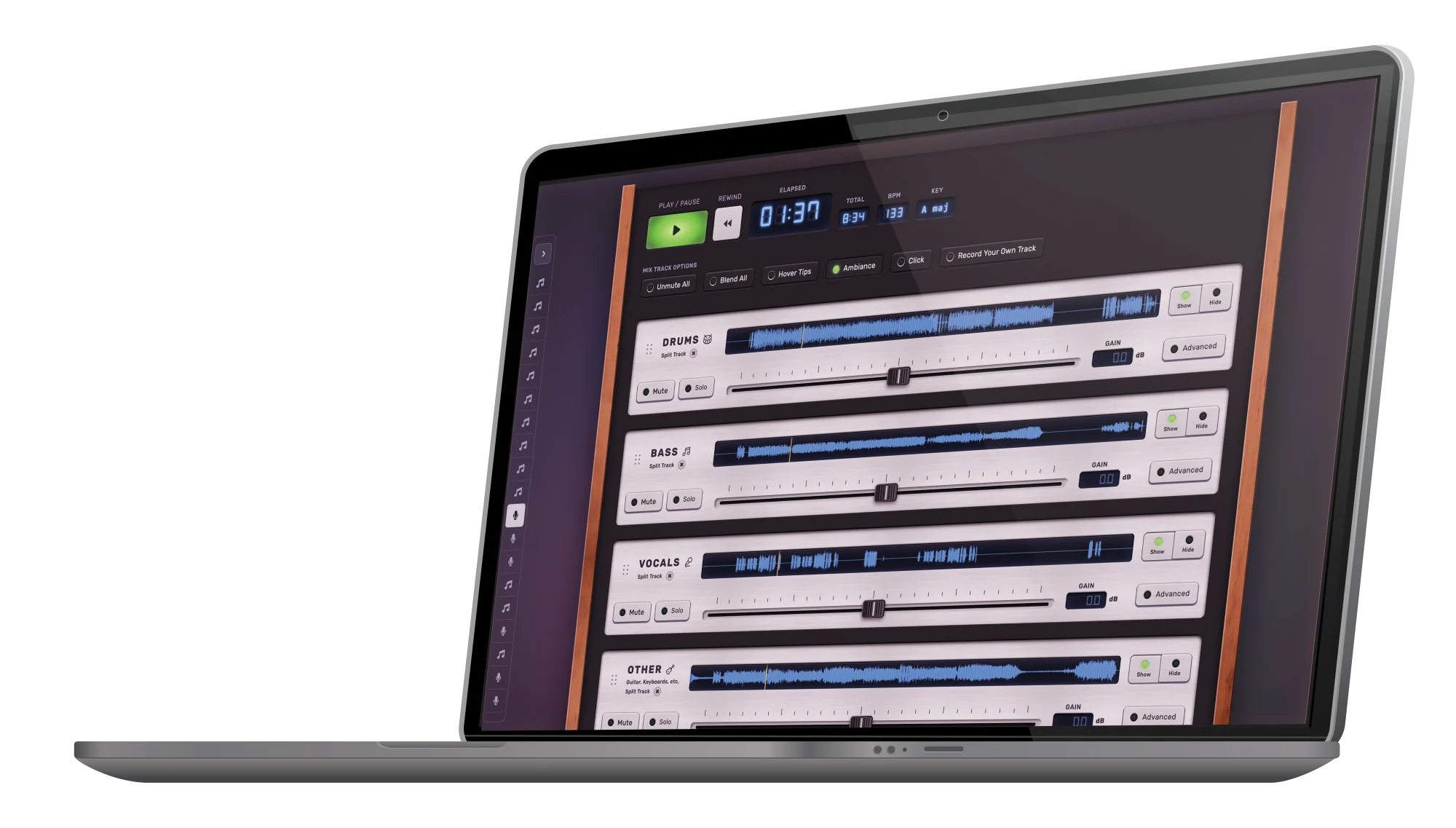
SplitJam uses AI to turn any song into clean, studio-quality stems (Drums, Bass, Vocals and More) right on your Mac. Remove the vocals for a karaoke track, mute a part for a backing track, or isolate just the drums. It's the same kind of split the pros use, made simple enough for anyone. Mute your part, jam along, and make the song your own.
A real macOS app. Your music is processed on your machine. Nothing gets uploaded.
Free, for everyone
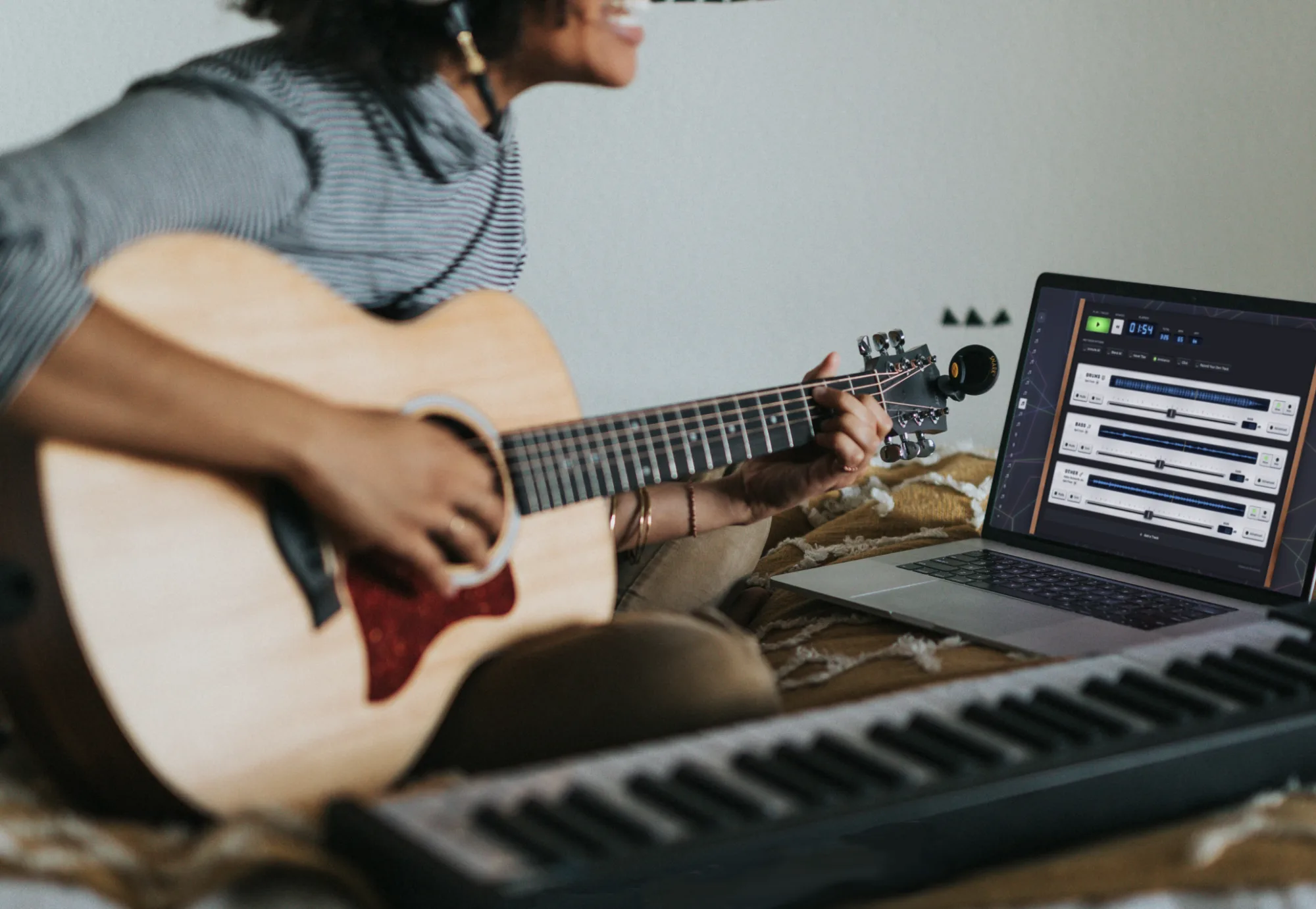
The free version gives you three splits at no cost. Split a track into clean parts and start playing. And nothing kills the vibe like an awkward ad, so there are none: SplitJam Free isn't supported by advertising, and you're never the product.
Load a track from your library. SplitJam's AI analyzes it right on your Mac. No upload, no queue, no "processing in the cloud."
In moments you've got a mix of studio-grade stems: drums, bass, vocals, and instruments, each on its own lane, ready to control.
Silence your part to make room for yours. Balance the other stems, dial in the vibe, and play the song until it's yours.
Private by design
SplitJam does its work right on your Mac. Your tracks aren't uploaded to a server just so you can hear them split, and the current version has no account to create or log into. Your library stays yours: your works-in-progress, your covers, your demos. Nobody else gets a copy.
SplitJam only reaches the internet for a few things, like checking for a new version, downloading separation models, and fetching in-app announcements, so you can keep up to date. Those don't send your audio. SplitJam also includes an anonymous usage-sharing setting, on by default, that you can turn off any time in the app. You decide when to update; your music stays on your machine.
Free splits a song so you can play along. Unlimited is where you play unlimited songs, with hands-on control of every part, your own take recorded into the mix, and practice tools that help you learn the song. One purchase, no subscription.
Studio controls
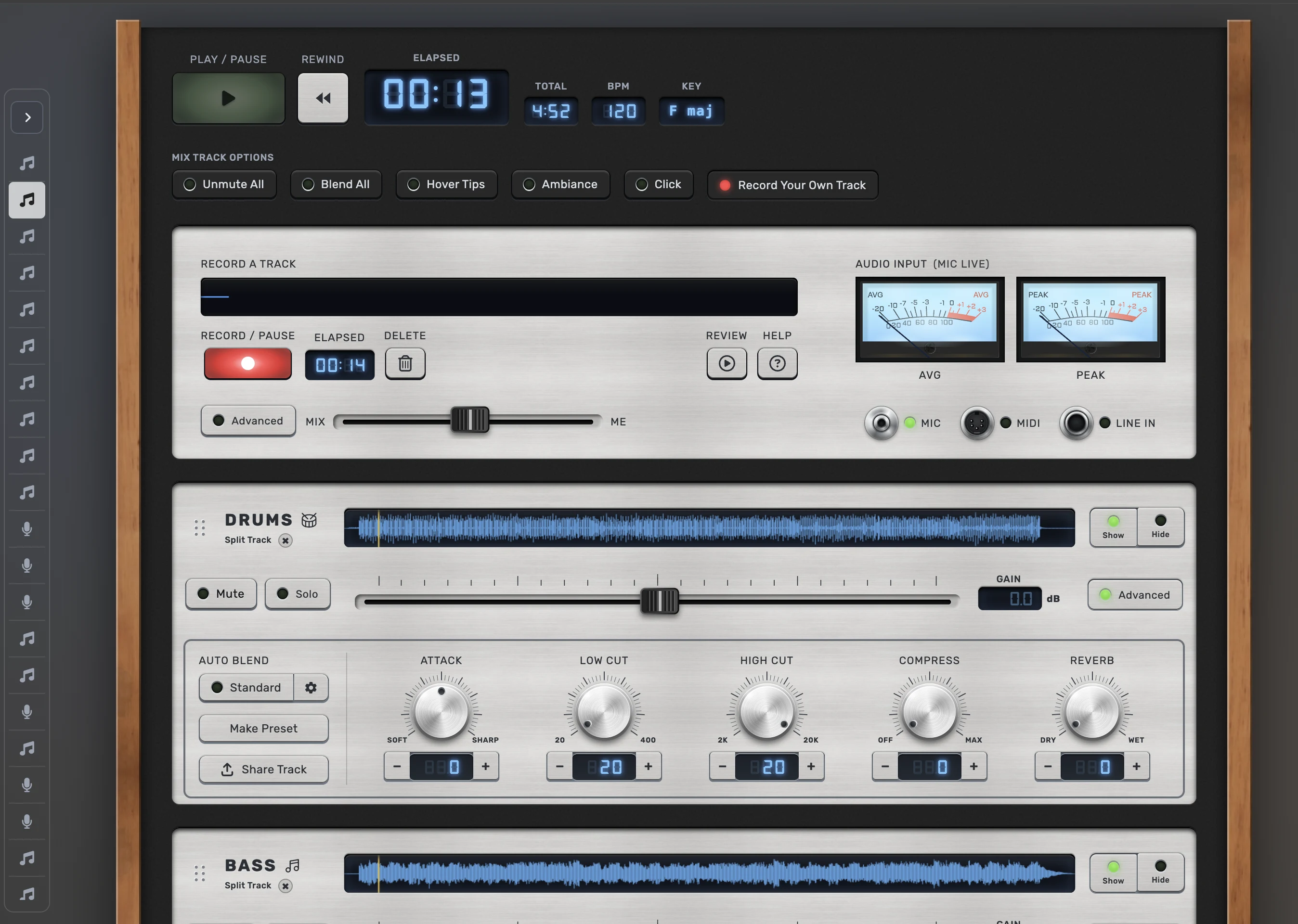
Every mix opens already balanced, automatically, so you can start playing right away. Want to shape it further? Every part has real controls (EQ, compression, pan, reverb): push the drums, tuck the vocal back, make space for what you're playing. It's control of the jam, not an afternoon lost tweaking dials. (Leave the deep production to your DAW.)
Recording & saving
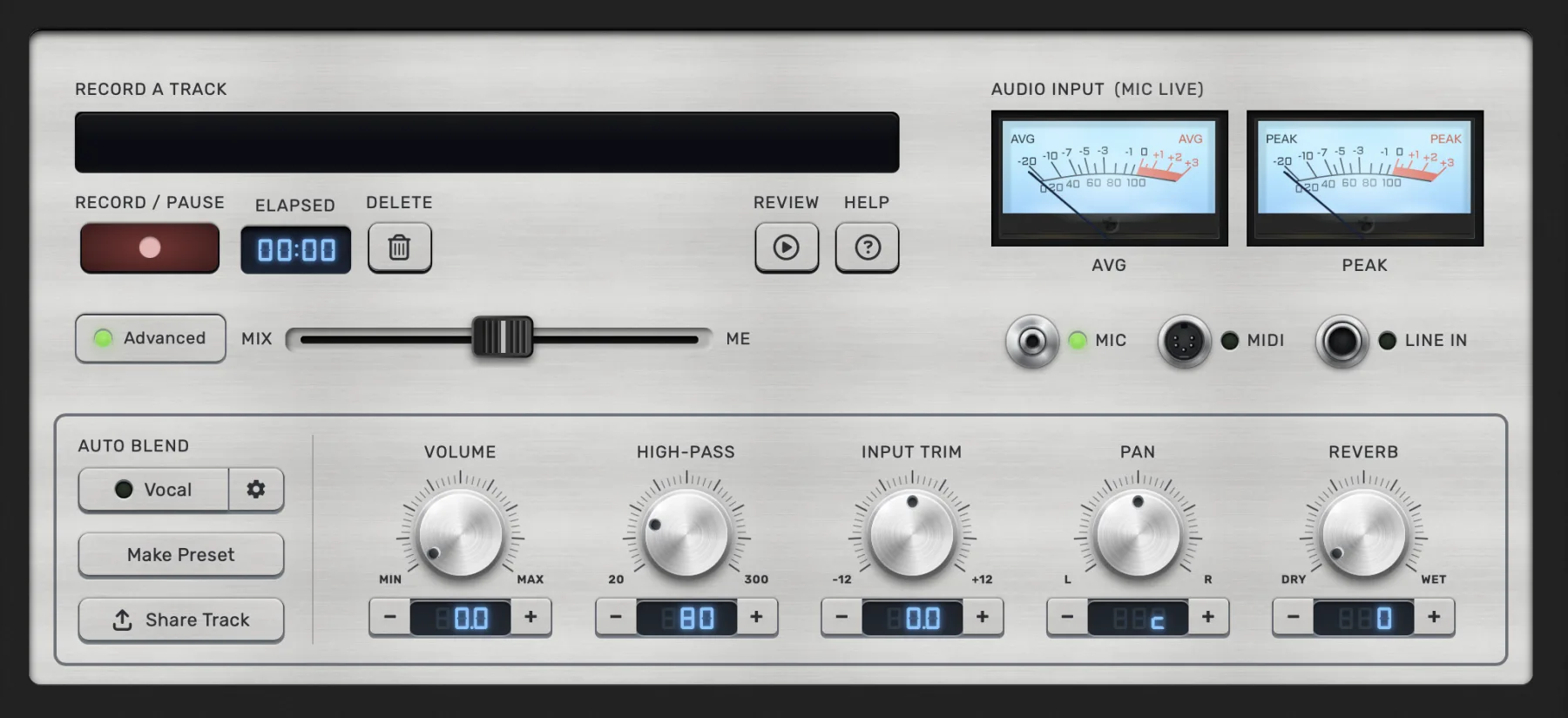
Lay your own part down right over the mix, then bounce the whole thing to a file. Share it however you already share things, or drop a friend's part back in with Add a Track and build the song up take by take.
Cues & section loops
Drop a cue on any spot in a song and it appears right as you reach it, a heads-up that a tricky fill, a solo, a key change, or a hand-off to a bandmate is coming. Size it big enough to read from across the room, so it works on stage as well as in practice. Want to stay on one part of the song? Set a loop around any section and it plays on repeat for as long as you like.
Atmosphere
It's easy to overlook, until you play with it on. Atmosphere turns practice into a real session: music-reactive light shows that move with the track, pulsing and swelling as you play, so your practice room feels like a stage. It's the difference between grinding through reps and actually feeling the song.
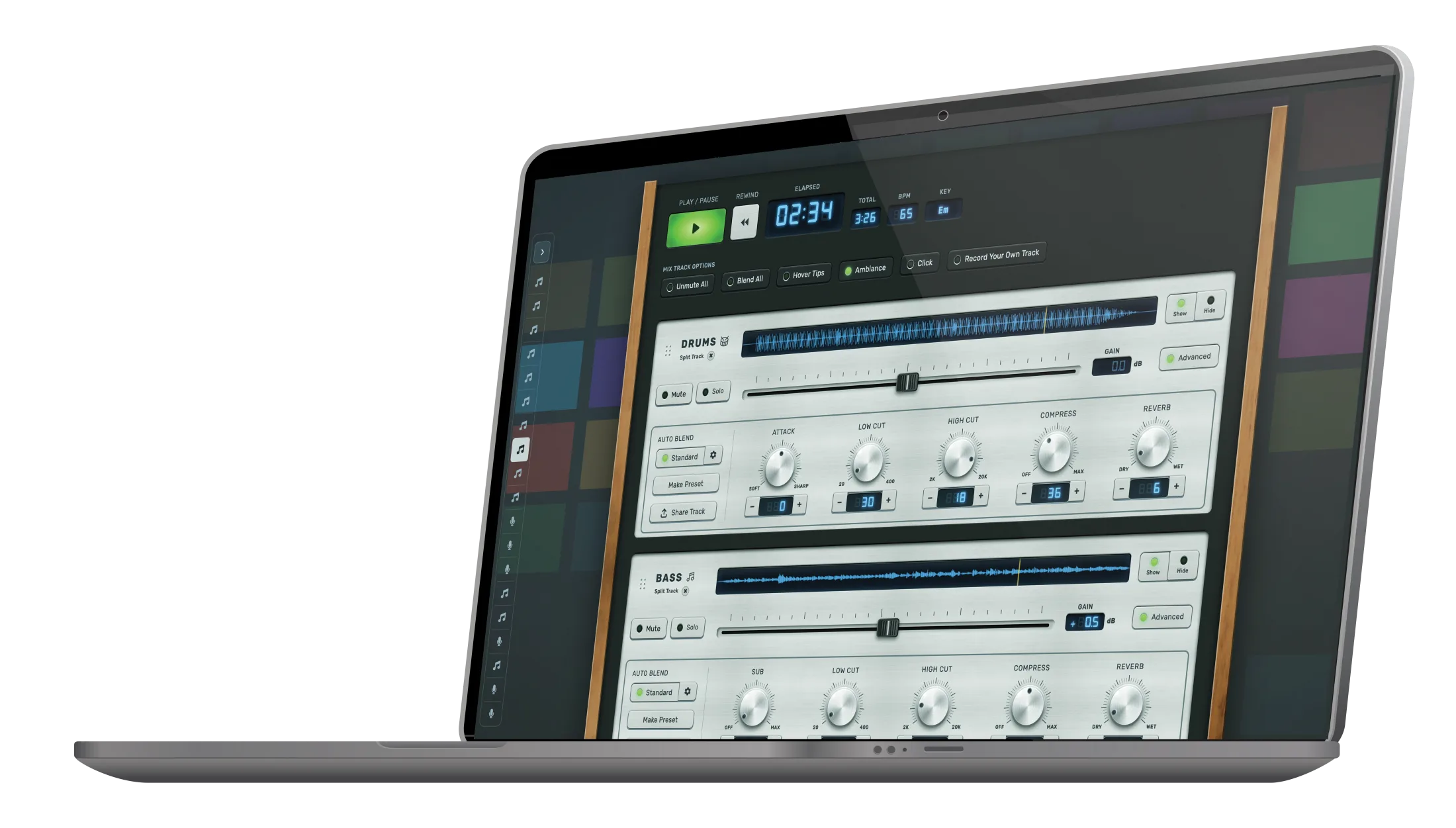
SplitJam finds the tempo and key of every song you load, so you always know what you're playing to.
Each split song is a Jam Mix you can name, reopen, and build on. Your controls and takes come back how you left them, and you can drop in a track a friend sent you with Add a Track and layer it into the mix.
A click that locks to the song's tempo and bends to how you practice: pick the sound, the beats per bar, where the accent lands, and the subdivision.
Easy to start, plays well with others
You don't need to know what a stem is, own a studio, or have ever opened a DAW. Drop in a song, hit play, and you're jamming. And if you already live in Logic, Ableton, or GarageBand, SplitJam slots right in next to them.
No manual, no setup, no gear. Drop in a song and you're playing along in moments, right on your Mac, for one purchase instead of a monthly bill.
Your DAW produces the finished track; SplitJam is for the musician in the moment, pulling a song apart and playing with it. Not rivals, a team: jam in SplitJam, then bounce it into your DAW to finish.
Getting the whole band in one room at one time is the hard part. SplitJam takes the calendar out of it: play your part when you get a window, pass the track along, and the song builds up take by take, a private jam between the people you picked.
Closed Beta
SplitJam is in a private beta. If we gave you a code, drop it in below to get the macOS build and help shape the app.
You're in. Welcome to the beta.
Download SplitJam Beta for macOSYour code checks out. The macOS build isn't quite ready to hand out here yet. Hang tight, we'll get the download to you shortly.
Beta builds are works in progress. Expect rough edges, and please send feedback from inside the app.
Questions
A native Mac app that takes any song in your library and separates it into its parts (stems): drums, bass, vocals, and everything else. Once a song is split, each part lands on its own lane so you can turn parts down, mute the one you want to play, loop a tricky section, and jam along. Think of it as turning any recording into a backing band that waits for you.
Drop in an MP3 or WAV and SplitJam analyzes it right on your Mac, pulling drums, bass, and vocals onto clean, separate lanes in moments. It's tuned for musical results you can genuinely rehearse and perform against, not the smeared, artifact-ridden stems a lot of tools hand back. Mute the vocal for instant karaoke, keep just the bass to lock in your pocket, or drop the drums and play them yourself.
Not one by one. SplitJam cleanly separates drums, bass, and vocals; the other melodic instruments (guitar, keys, horns, strings) come through together on a single Other track. That's a deliberate quality decision. Some tools claim to isolate each instrument, but what they return is often so degraded it's barely usable, and we'd rather give you a clean split we can stand behind. The Other track is still fully interactive: you can hear it, set its level and tone, mute or solo it, and record your own part right over it. Far more useful than fighting a muddy, broken-up stem.
No. If you can open a song, you can use SplitJam. There's nothing to configure and no audio-engineering vocabulary to learn first: drop in a track, hit play, mute your part, and start playing. The controls are built to feel inviting rather than intimidating, so you reach for them instead of avoiding them. The deeper tools are there when you're ready, never in the way before then.
Free is a real, working app, not a trial: split a song and play along, with a balanced mix set automatically, and 3 splits to try it out. Unlimited is a one-time upgrade that unlocks the full studio: per-lane controls (EQ, compression, pan, reverb), automatic tempo and key detection, Atmosphere light shows, recording your own take over the mix, and exporting the result to a file.
Yes. With Unlimited, SplitJam detects the tempo (BPM) and key of every song you load, so you always know what you're playing to, no guessing or counting bars before you start.
With Unlimited, yes. Record your own take right over the mix, then export the whole thing to a standard audio file (MP3, WAV, FLAC, or M4A) you can keep or hand to a friend. You can also pull a part a friend sent you back into a mix with Add a Track and build a song up take by take. Sharing is just a normal file you own, there's no cloud locker or account involved.
A Mac, either Apple Silicon or Intel. SplitJam is a true native desktop app, not a website in a wrapper, so the splitting happens on your own machine and the app works fully offline, anywhere, no internet required to use it.
No. All the splitting and mixing happens locally on your Mac. Your tracks are never uploaded to a server to be processed, and there's no account to create or log into. Your library stays yours: your works-in-progress, covers, and demos never leave your machine, and nobody else gets a copy.
They are not all the same kind of thing: vocal removers, online splitters, practice apps, backing-track libraries, and play-along tools each solve a different job. The trick is figuring out which job is yours, then matching the tool to it. We wrote an honest map of the whole landscape to help you place yourself, even when the answer is not us.
Quite a lot, and it bends to how you play: explore a song to see if it fits you, learn a part by looping it and setting cues that pop up as you play, play along on a hands-on mixer, record your own take, pass parts privately to your band, and build set lists for practice or a gig.
A model separates the song, and that work runs in one of three places: uploaded to the cloud, inside a browser tab, or in a native app on your machine. SplitJam runs it natively on your Mac, so nothing is uploaded and it works offline. Where it runs decides what happens to your audio and what you can do next.
For a tool you keep coming back to, a one-time purchase is hard to beat. Here is the catch with subscriptions: they never stop charging, so the longer you use them, the more you pay. SplitJam is a single purchase in the range of just a couple of months of a typical subscription, except it does not renew. You own it, there is nothing more to pay, and there are no credits to top up or per-song fees. The only time renting makes sense is if you need a tool once and never again.
Split your first song in minutes. Free to try, one time to own, yours to keep.